
Every screen, from the dock to the books.
A walk through PMG Marina Management, shown with a sample marina and made-up customers. Click any screenshot to see it full size.
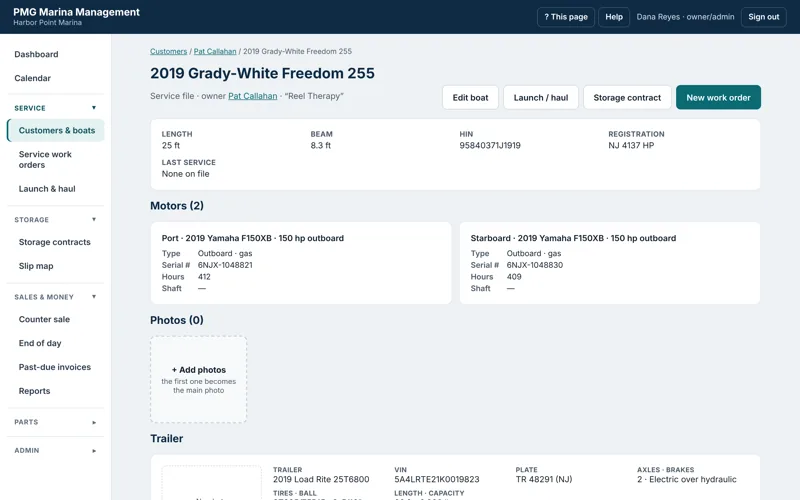
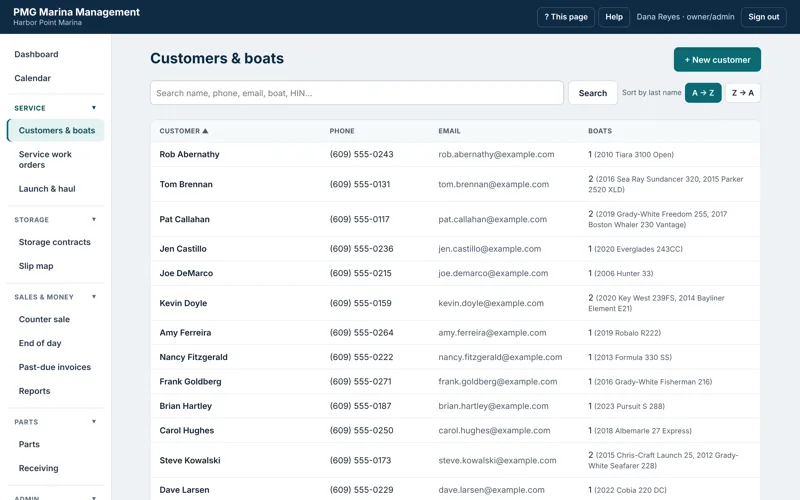
Every boat's service file in one place.
Find anyone by name, phone, email, boat or hull number — and open a boat's complete file in one click.
Know the boat before it's hauled.
Each boat keeps its specs, motors (with serial numbers and hours), trailer, photos, past service records and every work order.
- Motors: make, model, serial, horsepower, hours, outdrive details
- Trailer: VIN, plate, brakes, tires and photos
- Past service records and scanned paperwork
- History brought over from your old system
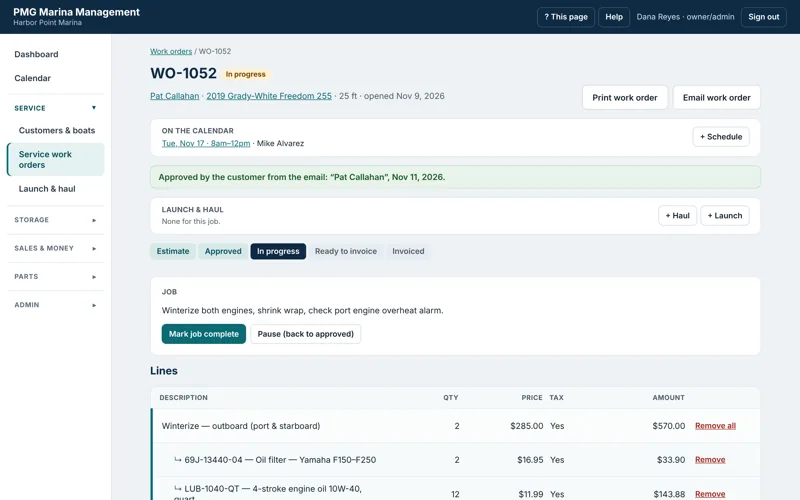
Estimates, approvals, parts, labor — then one-click invoicing.
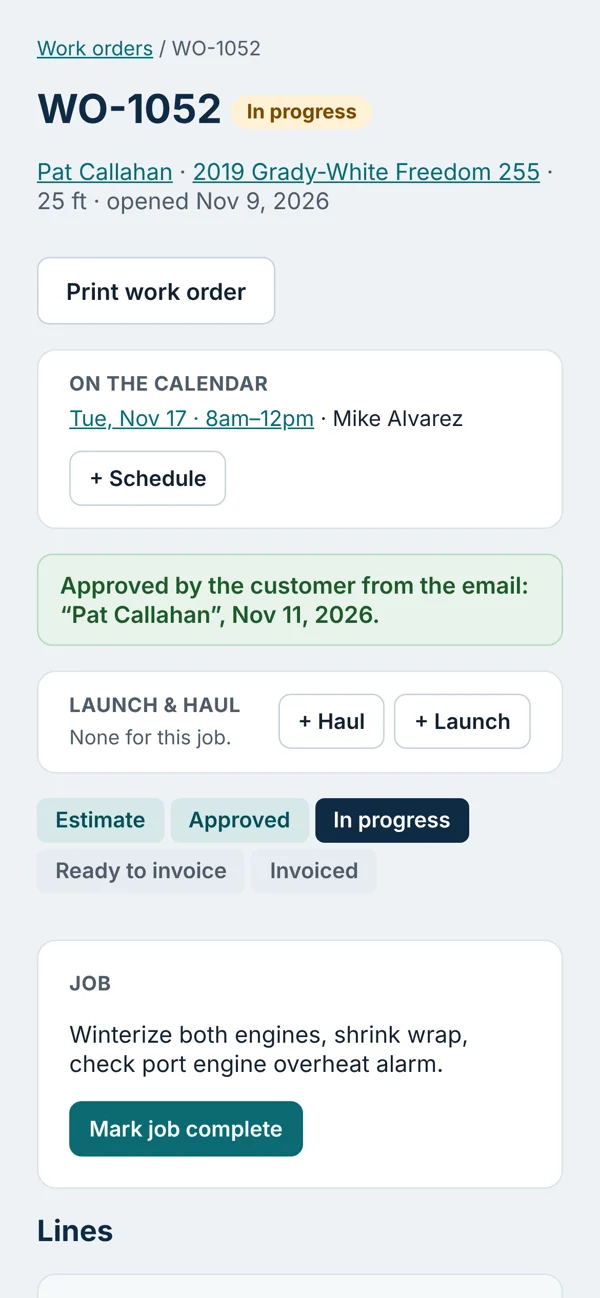
Work orders move from estimate to approved, in progress, ready to invoice and invoiced — and everyone can see where each job stands.
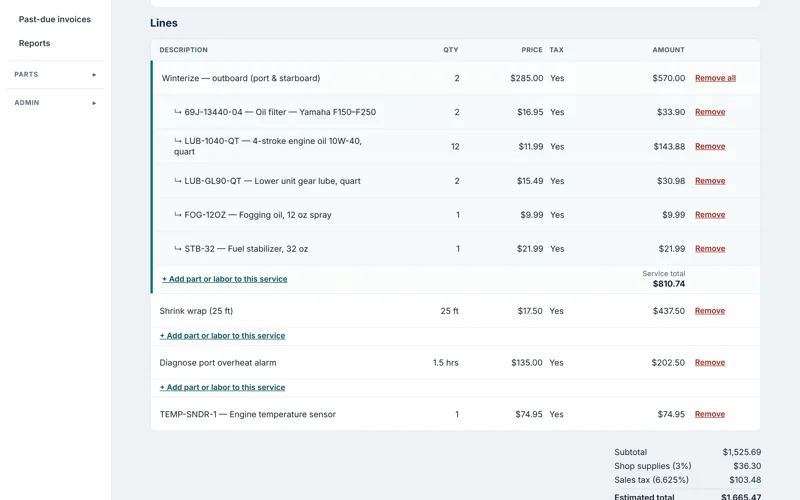
Price it the way you already do.
Add services from your menu — flat, hourly or per foot of boat length — and put the parts and labor that go with each service right under it.
- Parts from your list or straight from a vendor's price file
- Shop supplies and an optional card processing fee
- Sales tax figured line by line
- Techs add hours and parts; the office handles pricing
Customers approve estimates from the email.
Email the estimate with a PDF and Approve / Decline buttons. The answer lands on the work order and the dashboard — no customer login required.
- Delivery, views and PDF downloads tracked
- Deposits taken and applied automatically
- Calendar time and haul/launch linked to the job
- Printable shop copy
The whole yard's schedule in one view.
Day view gives every person their own column. Week and month views show the big picture.
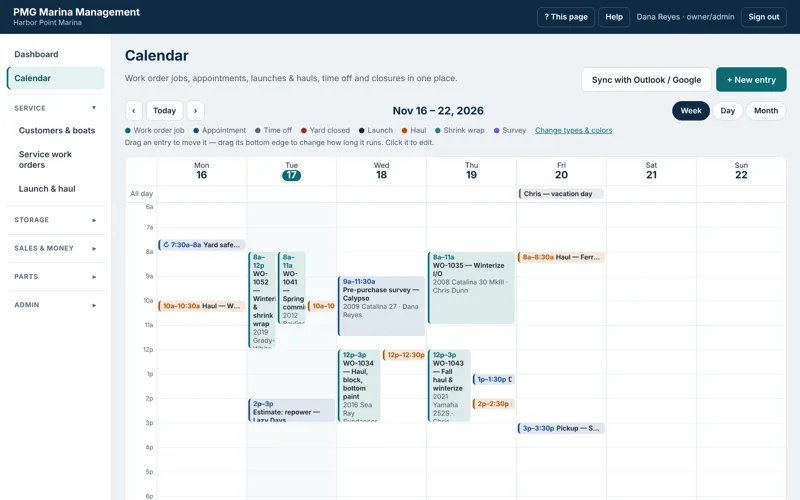
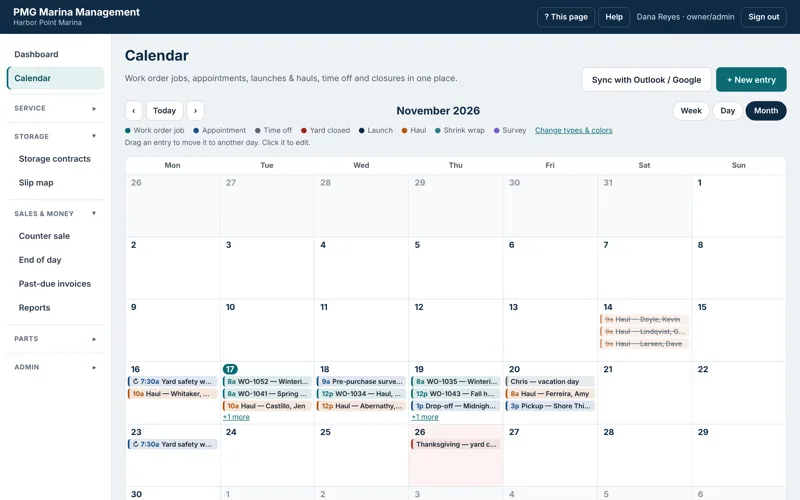
Move an entry to a new time or onto someone else's column. Undo if you slip.
PMG warns if someone is off, already booked, or busy in their own calendar.
Two-way sync for the marina's calendar and each person's own.
A private subscribe link puts the schedule in any calendar app.
The fall rush, organized.
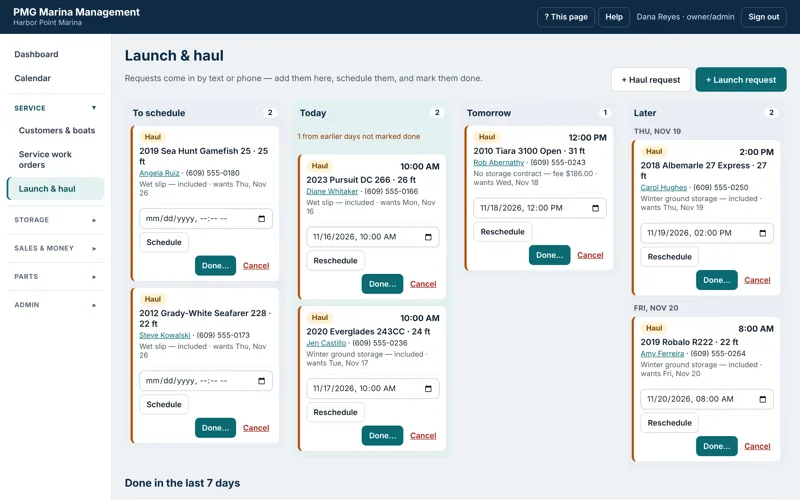
Requests come in by phone or text — add them, schedule them, mark them done and bill them the right way.
Today, tomorrow and later — at a glance.
Every request shows the boat, length, owner's phone and storage. Scheduled ones appear on the calendar too.
- Included with storage, a per-foot fee, a work order line, or no charge
- Fees invoice themselves when marked done
- Linked to the boat's open work order
- One open launch and haul per boat — no duplicates
Seasonal storage without the spreadsheet.
Wet slips, winter ground and rack storage — priced, scheduled, billed and on the map.
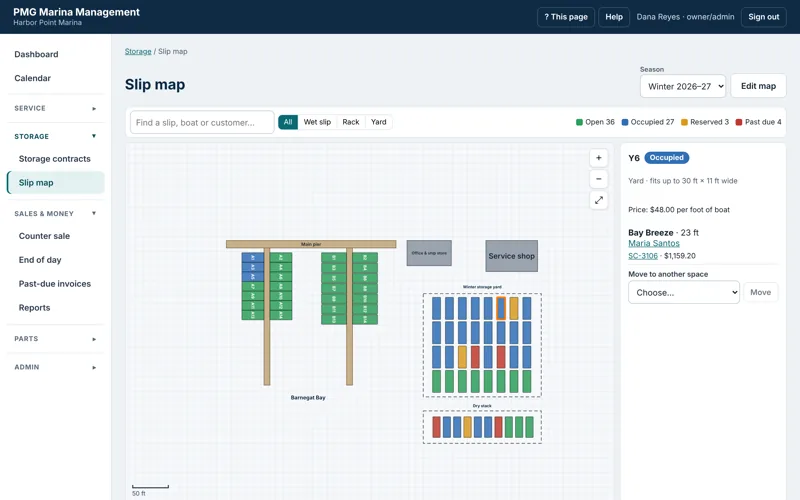
Click a space, see everything.
Spaces are colored open, occupied, reserved or past due for the season you choose. Click one for the boat, owner, contract and balance — or start a contract on an open space.
- Draw docks, buildings and yards over a satellite view or grid
- Add a whole dock of slips at once and drag them into place
- Season prices per type, or a special price for one space
- Move a boat to another space in two clicks
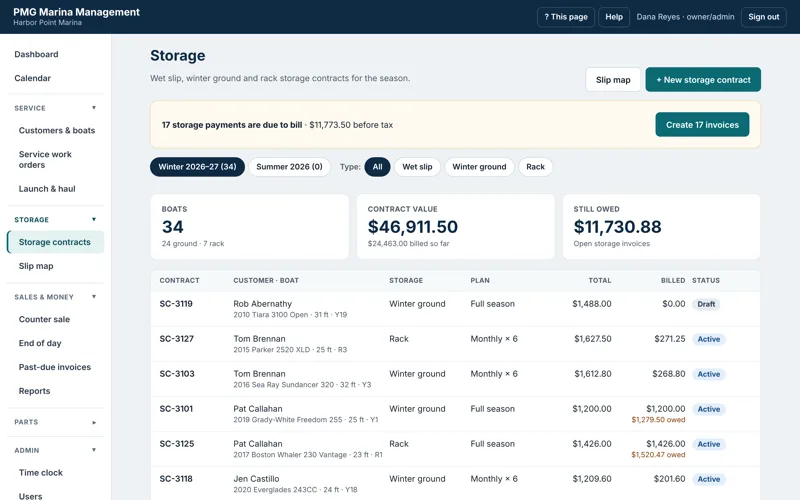
Contracts that bill themselves.
Full-season or monthly plans with a premium, a payment schedule on every contract, and one button to bill everything that's due.
- Draft, active, completed and cancelled
- Launches and hauls included in the contract
- What's still owed, contract by contract
- Printable contracts with your storage terms
Ring it up. Close it out.
A simple register for the parts counter, and an End of Day that your bookkeeper will love.
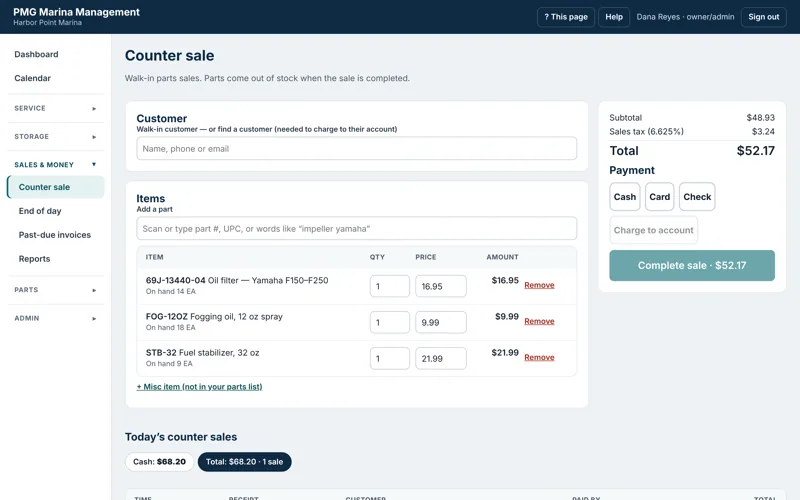
Fast at the counter.
Scan or type a part number, UPC or a few words. Take cash, card or check — or charge it to the customer's account.
- Parts come out of stock automatically
- Misc items for anything not on your list
- Parts from vendor price files added on the fly
- Printed receipts
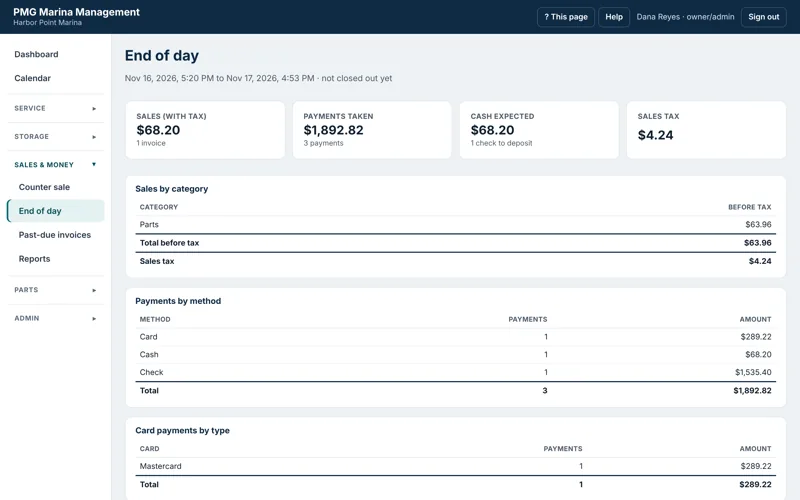
Everything since the last close-out.
Sales by category, sales tax, payments by method and card type, deposits, checks to deposit and the cash expected — then lock it.
- Cash count with over / short
- Saved report: print, Excel, CSV or email
- Locked payments can't be changed by accident
- Sent to QuickBooks Online automatically
Get paid, and know where you stand.
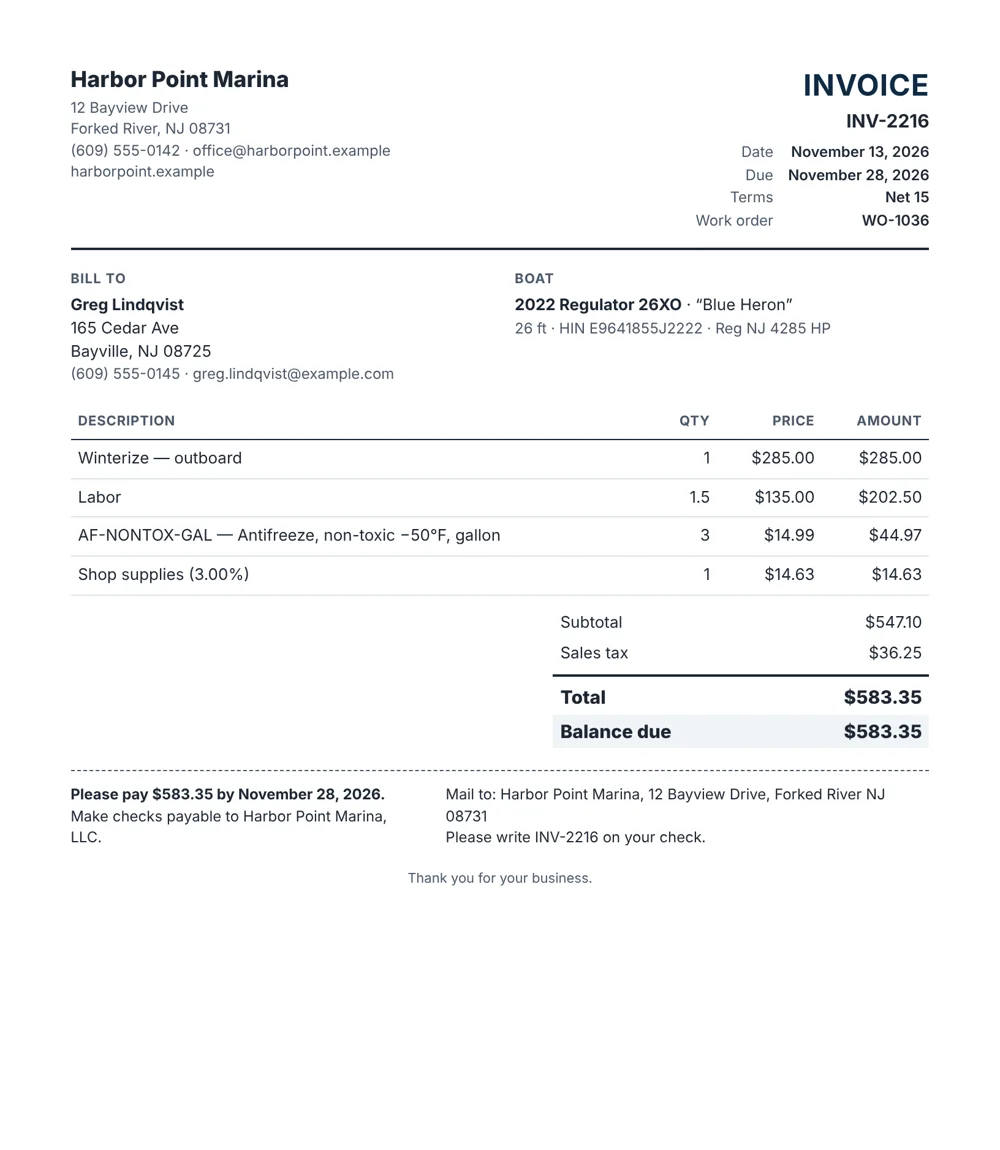
Invoices go out by email with tracking; past-due reminders and late fees run on your rules; reports export in a click.
The numbers you check every week.
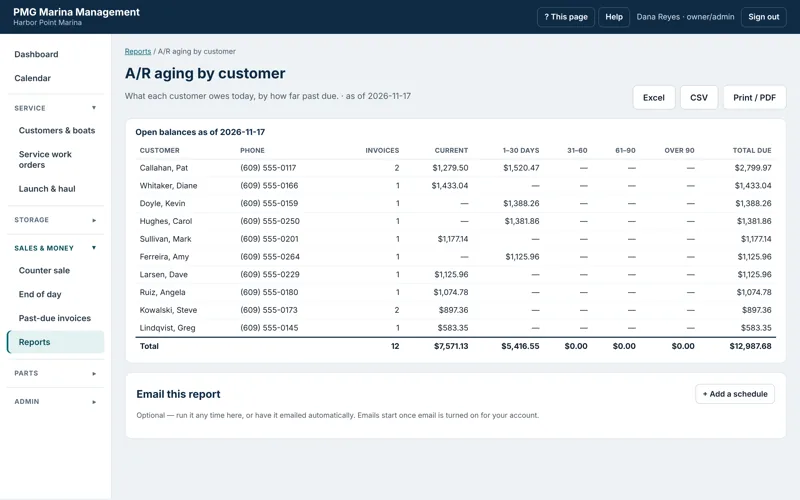
A/R aging, sales by category, sales tax collected, late fees, work orders, inventory value, low stock and purchases by vendor — plus a custom report builder.
- Print, Excel or CSV
- Build your own report from any kind of record
- Automatic past-due reminder emails
- Late fees you review before they're added
See delivered, viewed online, PDF downloaded — or bounced.
Invoices age from when the customer got them, not when they were written.
Customers, invoices with exact tax, payments and deposits after every close-out.
Every close-out downloads as Excel or CSV for your accountant.
Your vendors' catalogs, your stock, your prices.
Import price files from any vendor and keep sell prices current — or set your own.
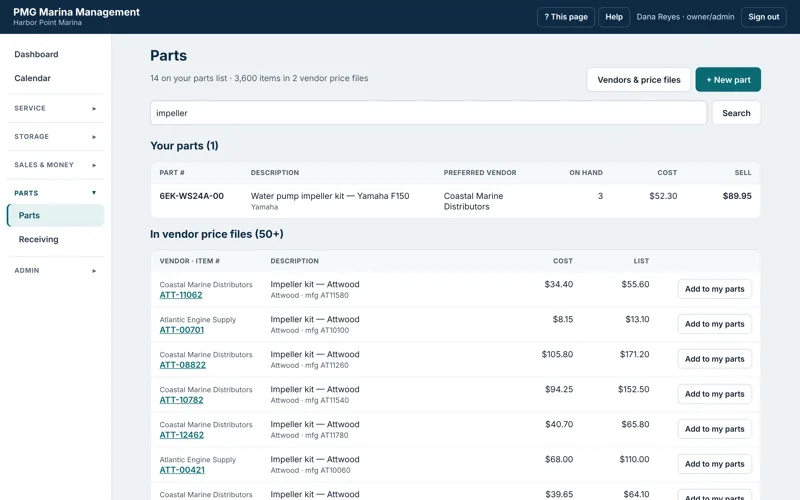
Your list and every vendor's catalog in one search.
Search by part number, manufacturer number, brand, description or UPC. Anything not on your list yet is one click away — on a work order, at the counter, or added to your parts.
- The same part matched across vendors by manufacturer number
- Preferred vendor per part
- Sell price follows MSRP — or set it by hand
- Every price change kept in the part's history
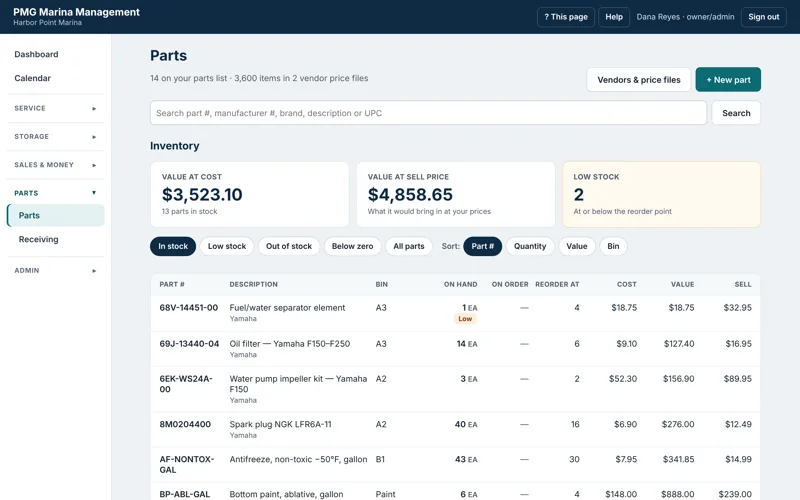
Know what's on the shelf and what to reorder.
Stock by bin, value at cost and at your prices, and low-stock flags at each part's reorder point.
- Stock goes down when sold or invoiced, up when received
- Counts and corrections with a reason
- Low-stock and inventory value reports
- Purchase orders with partial receiving and backorders
CSV, tab, pipe or fixed-width — columns matched automatically, tens of thousands of items in seconds.
On-hand by bin, low-stock lists and a report of what to reorder from whom.
Order, receive partial shipments, track backorders and record freight and fees.
Every cost and price change, from price files, receiving or by hand.
Set up for the whole crew.
Owners, office staff and technicians each see what they need — and nothing they shouldn't.
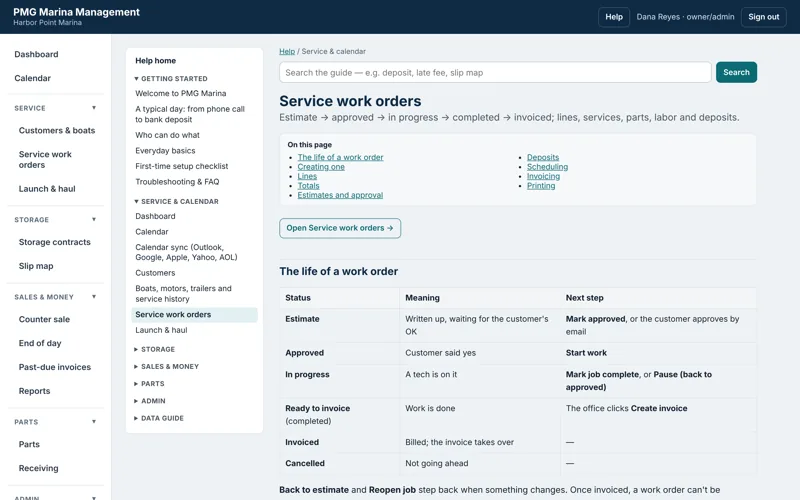
Owner/admin, office and technician.
Prices, invoicing, counter sales, purchasing.
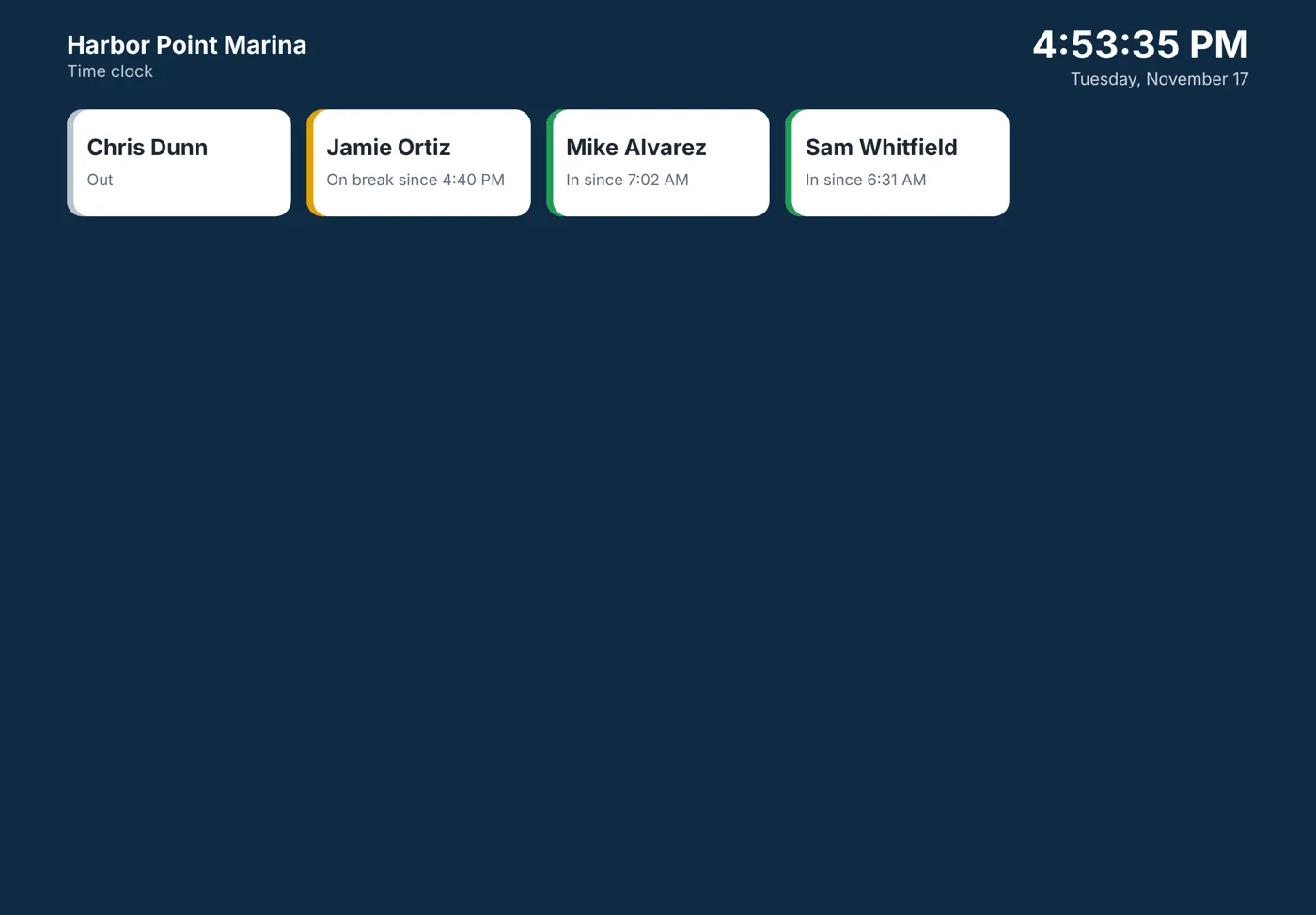
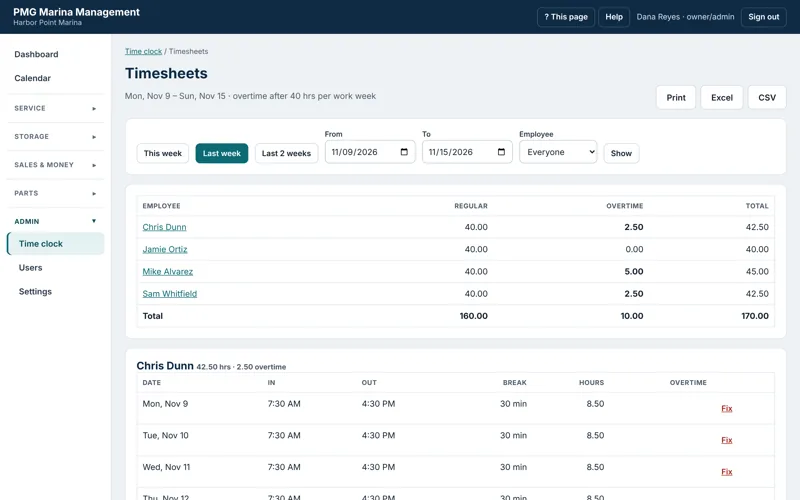
Unpaid breaks; overtime past 40 hours a week (or your limit).
Every timesheet change is logged with who and why.
Do I need to install anything?
No. PMG runs in a web browser on any computer, tablet or phone. We host it and keep it updated.
Can you bring over my data from my current system?
Yes. We import customers, boats and service history from your old system and check the results with you before you go live.
Do I have to use QuickBooks?
No. QuickBooks Online is optional. Without it, every End of Day close-out downloads as Excel or CSV for your accountant. (QuickBooks Desktop and QuickBooks Solopreneur don't allow outside connections.)
Does it process credit cards?
PMG records card, cash, check and ACH payments taken on your existing terminal, with the last four digits and approval code, and can add a card processing fee to a job. Online payments are on our roadmap.
Can emails come from my own address?
Yes. Estimates, invoices and reminders can be sent from your own domain once three DNS records are added. Without a domain, they're sent on your behalf with replies going to your email.
Is my data private?
Each marina's records are kept separate at the database level, every connection is encrypted, and only the people you invite can sign in.
How is it priced?
A straightforward monthly subscription based on your number of users. Ask for a quote.
Book a 30-minute walk-through.
We'll show you the screens that matter to your operation — service, storage, the counter or the books — and talk through moving over from what you use today.